Windows · macOS coming soon

Professional invoices, generated privately on your computer

A desktop invoicing app with built-in AI that runs entirely on your machine. No accounts. No cloud. Your clients and numbers never leave your computer.

Free 14-day trial · Every feature included · No sign-up required

Auto Invoice Generator with a filled invoice and live PDF preview
Private by design

Invoicing software that doesn't spy on your business

Most invoicing tools are websites that keep your client list, your rates, and your revenue on their servers. Auto Invoice Generator is a real desktop app — everything stays with you.

Everything stays local

Invoices, clients, and settings live only on your device. There is no account to create and no server that ever sees your data.

AI on your own hardware

The assistant runs open AI models directly on your computer — nothing you type or upload is sent to any AI provider. The model download is optional.

Works fully offline

Write, preview, and export invoices with the internet switched off. Internet is only needed to download the app, the optional AI model, and to activate a license.

The AI does the typing

From a messy brief to a finished invoice

Three ways to fill an invoice without typing it field by field — all powered by local models, all optional.

Auto Generate from Doc

Drop in a contract, email thread, or work summary — the AI reads it and builds the whole invoice: parties, line items, dates, notes. You review, then export.

Guided fill

AI Fill All walks you through a short interview — who's billing, who's paying, what was done — and populates the form as you answer. Every step is skippable.

Ask AI anything

Polish your notes, draft payment terms, or ask billing questions in the built-in chat — answered on your machine, not in someone's data center.

Four looks, six paper tints

Templates that make your invoices look expensive

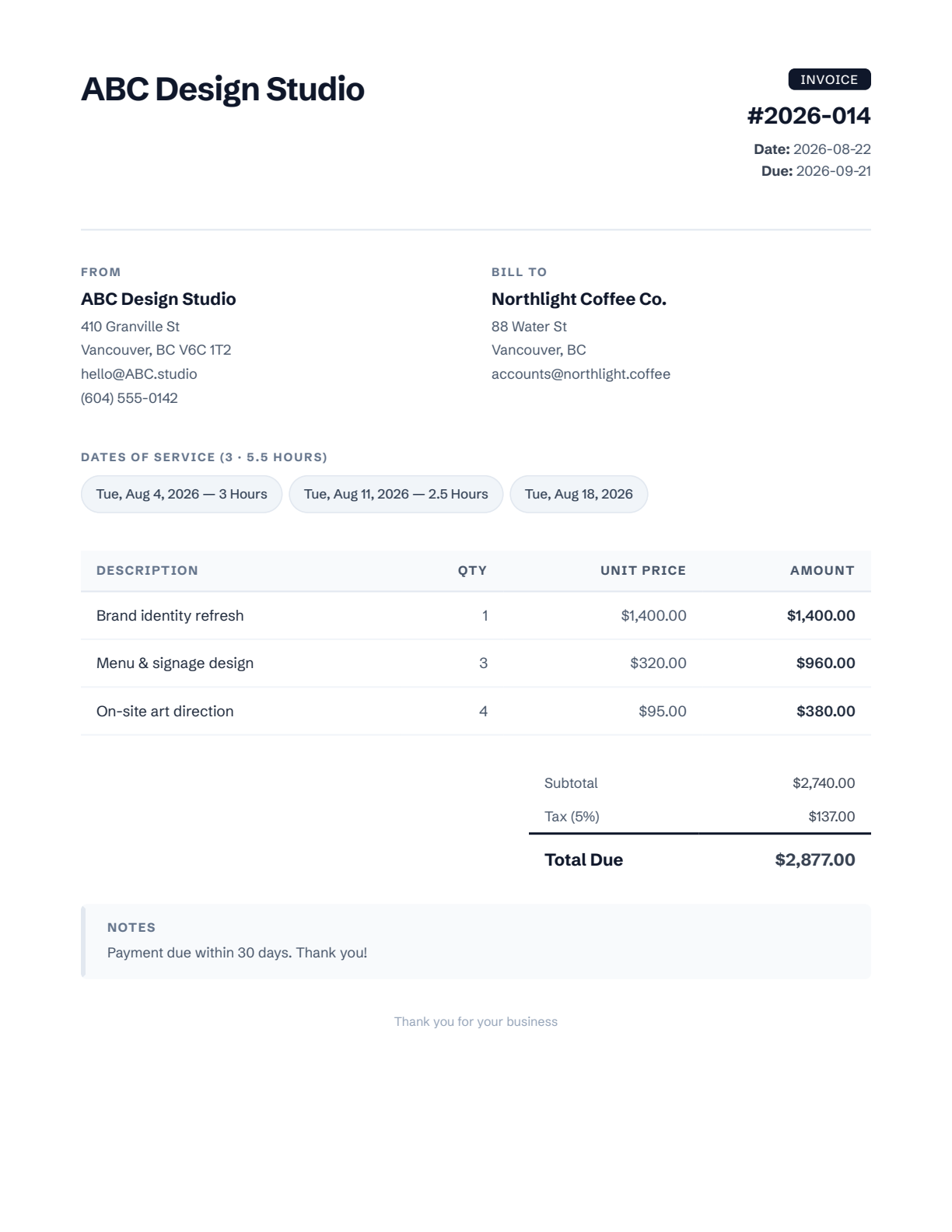
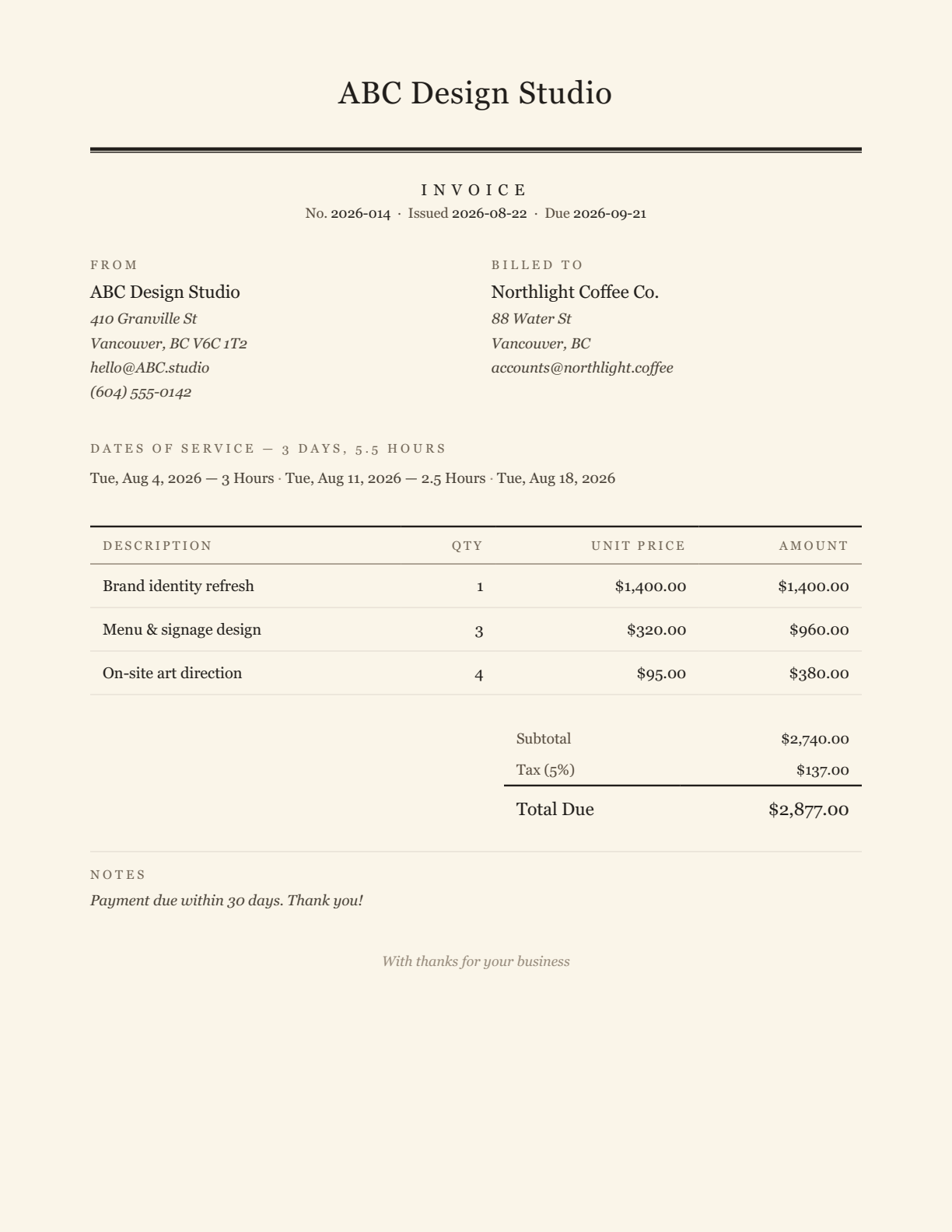
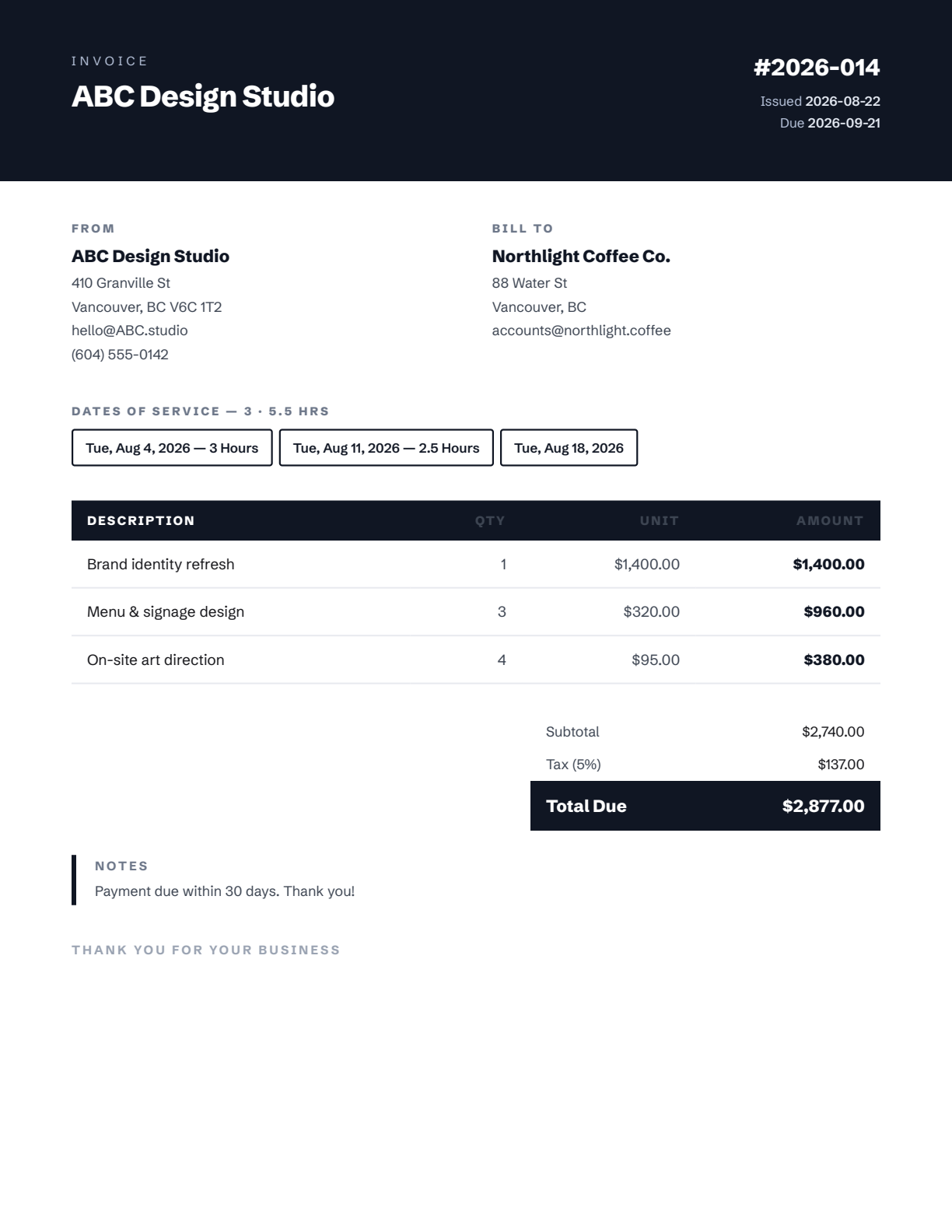
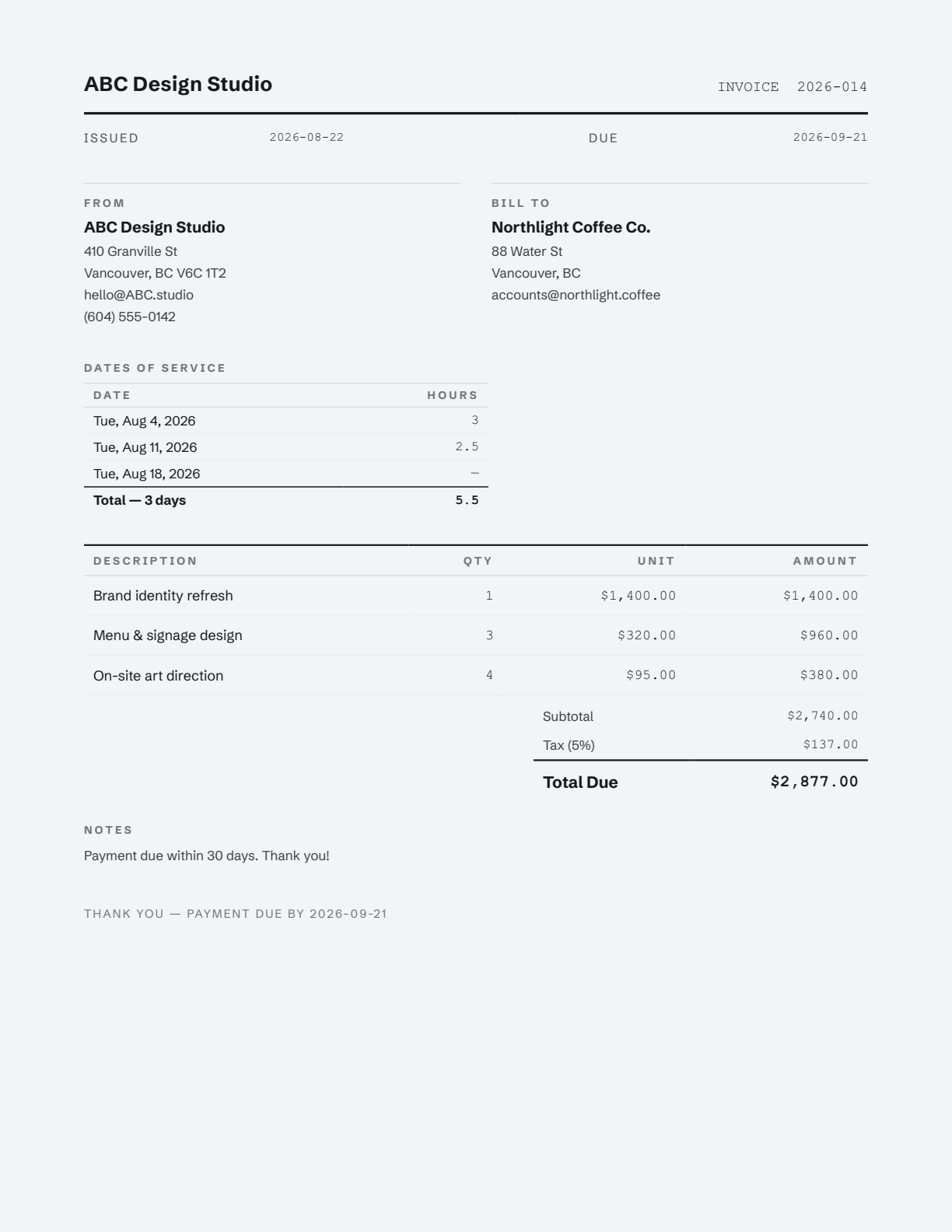
Slate, Classic, Ink, and Ledger — each a professionally set US-Letter design with embedded typography, rendered to pixel-perfect PDF. Add service dates with optional per-day hours, tax, and any currency (including your own custom code).

Slate invoice template
Slate
clean & modern
Classic invoice template on cream paper
Classic
serif letterhead
Ink invoice template
Ink
bold header band
Ledger invoice template on mist paper
Ledger
austere & tabular
Simple pricing

Try everything free, then pick a license

The trial is the full product for 14 days — no card, no account. Licenses arrive by email as a key you paste into the app.

Monthly

$5
per month · cancel anytime
  • All templates & paper tints
  • Local AI assistant included
  • Unlimited invoices & exports
  • Email support
Start with the trial

Lifetime

$109
one-time payment
  • Pay once, keep it forever
  • Every template & AI feature
  • All updates included
  • Email support
Start with the trial

Online checkout is opening soon — download the free trial today and you'll be able to activate in-app the moment it's live.

Questions

Frequently asked

Is my data really private?

Yes — architecturally, not just as a promise. The app is a local program: invoices, client details, and settings are stored on your computer only, and the AI models run on your own processor. The only network calls the app ever makes are downloading the optional AI model, validating a license key when you activate one, and checking for updates.

Does the AI need an internet connection or a subscription to an AI provider?

No. The assistant uses open-weights models (like Qwen and IBM Granite) running locally through llama.cpp. You download a model once inside the app — after that, AI features work with the network unplugged, and there's no per-use cost. AI can make mistakes, so the app always asks you to review generated invoices before sending them.

What does it run on?

Windows 10 or 11 (64-bit) today. A macOS version (Apple Silicon) is finished and being prepared for release. AI features are optional and run best with 8 GB of RAM or more; invoicing itself runs on nearly anything.

What's in the free trial?

Everything. Every template, unlimited invoices, PDF export, and the full AI assistant for 14 days — no account or card required. After the trial, exports carry a watermark and AI pauses until a license is activated.

How does licensing work?

After purchase you receive a license key by email. Paste it into Settings → License and you're activated. You can deactivate a device anytime to move your license to a new machine. No always-online requirement — the app checks the license periodically and tolerates being offline for weeks.

Is the installer safe?

The installer and every executable inside it are code-signed by a Microsoft-verified publisher through the Trusted Signing program, and the SHA-256 checksum is published below. Windows SmartScreen may show a notice for the first days of a new release while download reputation builds — the publisher name confirms it's genuine.

What's the refund policy?

14-day money-back guarantee on all purchases, no questions asked. See the refund policy.

Get started

Download Auto Invoice Generator

Version 0.1.0 for Windows 10/11 (64-bit) · 56 MB
Free 14-day trial with every feature included.

⬇  Download for Windows
Code-signed · verified publisher

SHA-256  611c88186b123965e33c6895c37eb3d8a65c86255dc1a009fa293fe0655a59c1

macOS (Apple Silicon) — coming soon.